
It started with a simple question in our development meeting: "Can we build this for iOS, Android, and Desktop without writing the code three different times?"
Our client needed their application to run everywhere—on mobile phones, desktop computers, and the web. They wanted a mobile-first design, but building separate apps for Android, iOS, Windows, and Mac usually takes way too much time and money.
Instead of building different codebases for every single device, we decided to create a system that could work across all platforms using just one single codebase.
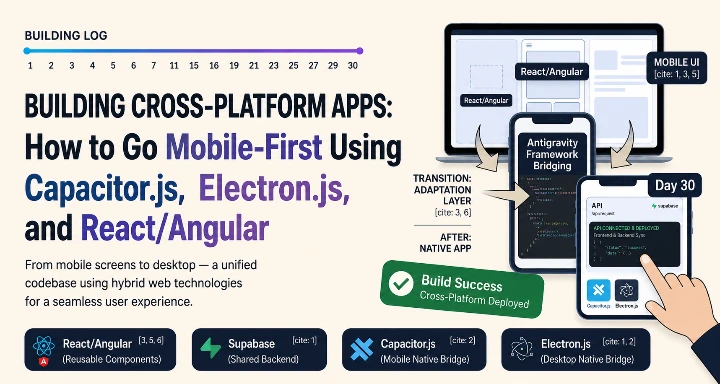
To do this quickly without writing everything from scratch, we used a modern frontend framework (React.js or Angular.js) paired with Capacitor.js and Electron.js. We also used a conversion tool called Antigravity to speed up the process.
The Tools We Used
To make sure the app could run on any device from a single codebase, we chose these tools:
React.js / Angular.js: We used a standard framework to build clean, organized, and reusable screen pieces.
Capacitor.js: This tool allowed us to pack our web code into a high-performing mobile app for iOS and Android.
Electron.js: This tool lets us take the exact same code and turn it into a desktop app for Windows and Mac.
Antigravity: Our main conversion tool that helped us fast-track the structural setup.
Our Strategy: Build Once, Run Everywhere
Building for mobile, desktop, and web usually takes months because you have to write different code for each platform. Our strategy was to focus on a mobile-first web design and then deploy it everywhere.
We used Antigravity to quickly change our basic UI layouts and structures into clean, standardized code. Instead of spending weeks adjusting buttons and menus for different screen sizes by hand, the tool gave us a massive head start.
Once the core screens were ready, we used Capacitor.js to access native phone features (like the camera or notifications) and Electron.js to handle desktop shortcuts and windows. This kept our development safe, fast, and highly focused.
The Development Plan
Phase 1: Architecture and Setup
We spent the first phase planning how the app would scale across different screens. We set up the core project environment using React/Angular and configured both Capacitor.js and Electron.js. No major coding started until the entire cross-platform pipeline was ready.
Phase 2: Component Conversion and Coding
This was the main building phase. Antigravity did the heavy lifting of converting the structural UI pieces. Our engineers then focused on coding the core features:
Mobile-first responsive pages and input forms
Smooth navigation flows that work for both touchscreens and mouse clicks
App store compliance and user login systems
Universal data connections
Phase 3: Multi-Platform Testing and Launch
The final phase was all about double-checking the app on real devices. We tested the mobile builds on iOS and Android phones using Capacitor.js, ran the desktop builds on Windows and Mac using Electron.js, and made sure everything loaded fast before launching.
The Results
We delivered the complete cross-platform application smoothly and efficiently.
One single codebase now runs perfectly on iOS, Android, Desktop, and Web.
The application is fully optimized for mobile users, but looks great on large desktop monitors too.
New developers can join the team and update all platforms at the same time.
A project that typically takes months of separate platform development was completed in a fraction of the time.
What We Learned
1. Plan for Responsive Layouts Early
When building for mobile and desktop at the same time, screen sizes change drastically. Spending time planning a responsive layout in the beginning saves you from major UI bugs later.
2. Use Tools for Speed, Not Decisions
Tools like Antigravity are amazing for fast, repetitive structural work. They save you weeks of layout time, but you still need experienced engineers to handle platform-specific logic like mobile plugins or desktop windows.
3. Keep the Codebase Single and Simple
Using Capacitor.js and Electron.js together proves that you do not need separate teams for mobile and desktop. Keeping a single codebase means fewer bugs to fix and a much faster release time for new features.