
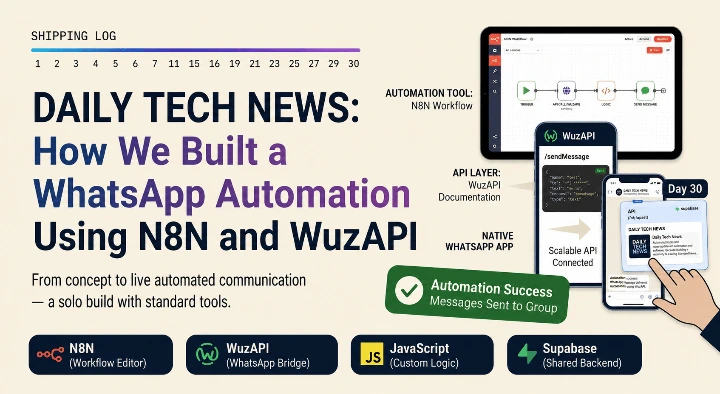
We wanted a simple way to keep our team updated with the latest tech news every morning. Instead of asking everyone to check different websites or apps, we decided to bring the news directly to where they already chat every day: WhatsApp.
To build this automatic news system quickly, we did not want to write heavy code or pay for expensive enterprise tools. Instead, we connected a free news feed to WhatsApp using an automation tool called N8N and an open-source gateway called WuzAPI.
Here is exactly how we set it up.
The Tools We Used
We kept our setup clean and lightweight with just three main tools:
Tech News RSS Feed: A free link that automatically updates whenever a new tech article is published.
N8N: A workflow automation tool that connects different apps together without messy code.
WuzAPI: A light, open-source API gateway that lets us send WhatsApp messages using simple web commands.
Step 1: Setting Up the News Trigger in N8N
Our first step was to capture the news automatically every morning. We did this inside N8N.
Adding the RSS node: We added a built-in RSS reader node inside N8N and pasted the link to our favorite tech news site.
Setting the time: We set a schedule node to run the workflow automatically every morning at 9:00 AM and evening 5;00 PM.
Filtering the data: We set up a clean rule to only pull the top 10 most important news stories of the day, so we do not flood the chat.
Step 2: Connecting the WhatsApp Bridge with WuzAPI
WhatsApp does not allow apps to send messages easily without a gateway. To fix this simply, we used WuzAPI.
Linking the phone: We hosted WuzAPI on our server and scanned the QR code with our phone, just like connecting WhatsApp Web.
Creating the API link: WuzAPI gave us a simple URL endpoint that can send messages whenever it receives text data.
Testing the connection: We sent a quick test message from our workspace to make sure the phone was active and online.
Step 3: Formatting and Sending the Message
The final step was to make the news look clean and easy to read on a mobile screen.
Cleaning the text: We used N8N to combine the titles and links of the top three news stories into one simple, short text block.
Sending the data: We connected the N8N workflow to our WuzAPI URL using an HTTP Request node.
Automating the delivery: Now, every morning at exactly 9:00 AM, N8N grabs the news, formats it into clean text, and tells WuzAPI to send it to our team group chat.
The Final Results
The automation worked perfectly and took very little time to build.
Our team now gets the top tech news right inside WhatsApp every single morning.
The system runs completely on its own without any manual work.
By using open-source tools like WuzAPI and N8N, we built this setup without paying for expensive business APIs.
What We Learned
Building this project proved that you do not need complex code to create useful team automations. By linking a simple news feed to an automation tool like N8N and an open-source WhatsApp API like WuzAPI, you can build helpful daily alert systems quickly, safely, and for free.