
It started with a Monday morning message: "It took us three days to add one screen last week. We need to fix this."
Our client had spent a year building their software with FlutterFlow and Supabase. The app worked fine, and users were growing. But making changes became too slow. The tool that helped them start fast was now a problem.
Making changes in the visual tool was too frustrating. Training new developers took weeks. Also, it was hard to find developers who knew how to handle big FlutterFlow projects. The backend worked perfectly. Only the frontend was the problem.
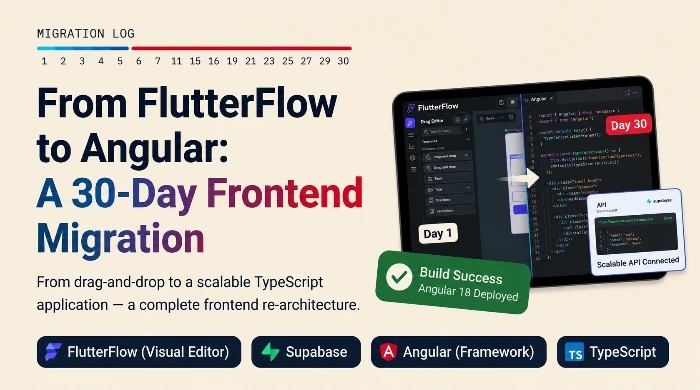
So, we decided to remake the whole frontend in Angular. Our goal was to finish it in 30 days.
Why We Moved Away from FlutterFlow
Flutter Flow is great for starting fast. It helps new companies test ideas, build basic apps, and launch quickly. But as apps grow, things get complicated.
The visual setups become hard to follow. Instead of reading clear code, developers waste hours looking through blocks and lines to see how things connect. This is fine for small projects. But after a year of adding new features for real users, it becomes too slow.
In the end, the team wasn't just building features anymore. They were spending all their time fighting the tool.
Why We Chose Angular
Before deciding, we looked at React, Vue, and Angular. We picked Angular because it works best for big apps. It forces you to write code in a clean, organized way. This means new developers can join the team and understand the project quickly, without needing someone to explain it all to them.
Hiring was another big reason. It is much easier to find experienced Angular developers to grow the team.
Also, the client needed both web and mobile apps. By using Angular with Capacitor, we could write the code once and use it for the website, Android, and iOS.
Here is the setup we used:
Angular 17
Capacitor
Supabase
TypeScript
Our Strategy: Convert, Don't Start Over
A total rewrite would take months, and we didn't have time. Instead of starting from scratch, we just converted what already worked.
First, we spent a week mapping out every screen, workflow, and rule in the old app. It felt slow, but it was crucial.
Next, we used a tool called Antigravity to turn FlutterFlow pieces into basic Angular code. This gave us a fast start, but engineers still reviewed and fixed every line.
We left the Supabase backend completely alone. Only changing the frontend kept the project safe and focused.
The hardest part was the user permission system. The old workflows had many hidden rules. We carefully mapped them out, rebuilt them in Angular, and tested every path before launch.
The 30-Day Plan
Week 1: Study & Plan
We reviewed the whole app, wrote down how every feature worked, and checked the Supabase database. We also set up the new Angular project. No coding started until we fully understood the system.
Weeks 2–3: Build the Core
This was the main coding phase. We moved the most important parts to Angular:
UI pages and forms
Menus and navigation
User login and permissions
Supabase connections
Week 4: Test & Launch
Last week was for checking everything. We manually tested the user journeys, made the app load faster, set up Capacitor for mobile apps, and did final checks before launching.
The Results
We finished the migration exactly on Day 30. More importantly, the users never even noticed the switch.
Every feature still works perfectly.
No business rules were lost.
One codebase now runs both web and mobile.
New developers can start writing code much faster.
A rewrite that usually takes 4 to 6 months took us just 30 days.
What We Learned
1. Always Start with an Audit
Spending the first week studying the old app saved us a lot of time later. The biggest danger in a migration is always the hidden features that everyone forgot about.
2. Use AI for Speed, Not Choices
AI tools are great for fast, repetitive coding. But AI does not understand your business goals, weird edge cases, or your app's history. You still need experienced engineers to make the final calls.
3. Change as Little as Possible
Leaving the Supabase backend completely alone kept things simple and safe. Fewer moving parts mean fewer things can go wrong.
4. Avoid Starting from Scratch
Your current business logic is still highly valuable. Throwing it all away to start over takes longer and usually creates brand-new bugs. Converting what you have is faster and cheaper.
How We Can Help
We help growing teams update their software, fix scaling issues, or leave platforms that no longer work for them.
Our main skills include:
Full-stack web and mobile development
Angular, React, Nuxt.js, TypeScript, and Capacitor
Supabase, PostgreSQL, REST APIs, and GraphQL
AI-assisted coding setups
Complete system audits and migration plans
If your business is outgrowing its current tech tools, we know how to fix it. Let's chat about the best way to move your product forward.